As part of a course on Complex Systems, my team and I were tasked with designing a white-label EMS system.
We focused on the employee interface, detailing primary and secondary functions such as work schedules, shift submissions, leave requests, upcoming salary and more.
Role: UX Research, UI Design, UX writing
Tools: Figma, Illustrator
Role: Product Designer
Tools: Figma, Illustrator
Jump to Results
As part of a course on Complex Systems, my team and I were tasked with designing a white-label EMS system.
We focused on the employee interface, detailing primary and secondary functions such as work schedules, shift submissions, leave requests, upcoming salary and more.
Identified Challenges
Ineffective Work Hour Management - Current systems lack flexibility and are not user-friendly, leading to frustration and reduced efficiency.
Increased Administrative Burden - Relying on manual processes for tracking work hours and managing payroll adds unnecessary workload for staff.
Operational Efficiency Improvement
Reduction in time spent on manual administrative tasks.
1
Employee Adoption & Usability
Percentage of employees reporting the system as intuitive and easy to use.
2
Error Reduction
Decrease in shift planning, attendance, and payroll errors.
3
KPIs
Identified Challenges
Ineffective Work Hour Management - Current systems lack flexibility and are not user-friendly, leading to frustration and reduced efficiency.
Increased Administrative Burden - Relying on manual processes for tracking work hours and managing payroll adds unnecessary workload for staff.
KPIs
Operational Efficiency Improvement
Reduction in time spent on manual administrative tasks.
1
Employee Adoption & Usability
Percentage of employees reporting the system as intuitive and easy to use.
2
Error Reduction
Decrease in shift planning, attendance, and payroll errors.
3



Competitive Analysis
We identified three primary competitors and evaluated their systems to understand strengths, weaknesses, and user needs.
Findings are based on market analysis and user surveys.
Key Findings
Clear Pay Overview - Visual monthly summary of hours and salary reduces confusion.
Shift Swaps - In-app swap flow replaces messy WhatsApp/phone coordination.
Instant Feedback - Real-time status (success/error) builds trust and prevents mistakes.
Interview Questions
Tap to see the full interview
Tap to see the full interview
Personal Background & Role
Age, gender, education
Job responsibilities and role description

Key Tasks & Activities
Common actions performed in the system
Typical workflows or routines

User Experience & Feedback
General impressions and usability
Satisfaction, pain points, and improvement
suggestions

System Usage Patterns
Familiarity with the platform
Frequency and context of use
Conclusions & Pain Points
Complex and Slow Request Processes
Employees encounter difficulties when submitting vacation, sick leave, or shift-change requests due to unclear pathways, lack of feedback, and slow task completion flow.
Lack of Transparency in Work Hours & Salary
Users struggle to understand accumulated hours and estimated salary, since system data is fragmented, numerical, and lacks visual summarization, leading to confusion and low financial clarity.
Limited shift visibility
Employees cannot easily see their upcoming shifts, team-member schedules, or available shift-swap opportunities, reducing coordination and flexibility.
Low Engagement Due to Outdated Workflow
The system feels outdated and unintuitive, leading to low engagement, user errors, and increased reliance on manual communication with managers.
O1
O2
O3
O4
Role Analysis General Employee
Role Purpose - Enable accurate reporting of work hours, absences, and availability in the time-management system.
Role Scope in the Organization - Operational frontline role; actions mainly affect the employee’s own schedule and payroll but collectively impact staffing quality.
Areas of Responsibility - Logging shifts and breaks, submitting vacation/sick/shift-change requests, checking schedules, and responding to manager updates.
Required Skills - Basic digital literacy, attention to detail, ability to follow procedures and deadlines.
Employee Expectations - Use the system regularly, keep personal data and shifts up to date, and flag issues to the manager when something looks incorrect.
Required Knowledge - Company policies on shifts, overtime, vacation, and sick days, and how these are reflected in the system.
Reporting Lines - Reports to the direct manager or shift supervisor, who approves requests and validates reported hours.
5 = High, 0 = Low
Task
Importance
Frequency
Difficulty
Overall score
Shift Replacement Request
2
2
3
7
Reporting Sick Leave or Vacation
3
1
4
8
Reporting Work Hours
5
5
3
13
Reporting Deductions to Direct Manager
2
2
4
8
Work Task Reporting
5
3
1
9
Clock-in / Clock-out of the System
5
1
3
9
Shift Submission
5
4
1
10
Updating Personal Details
3
1
2
6
Monthly Summary of Work Hours
5
3
3
11
Monthly Summary of Salary
4
2
3
9
Task Analysis
We mapped and prioritized key tasks in employee management systems according to their importance, frequency, and difficulty. The average scores for each task were then used to define where the system must be most accessible and efficient for employees.
Information Architecture

Competitive Analysis
We identified three primary competitors and evaluated their systems to understand strengths, weaknesses, and user needs.
Findings are based on market analysis and user surveys.
Design Solutions
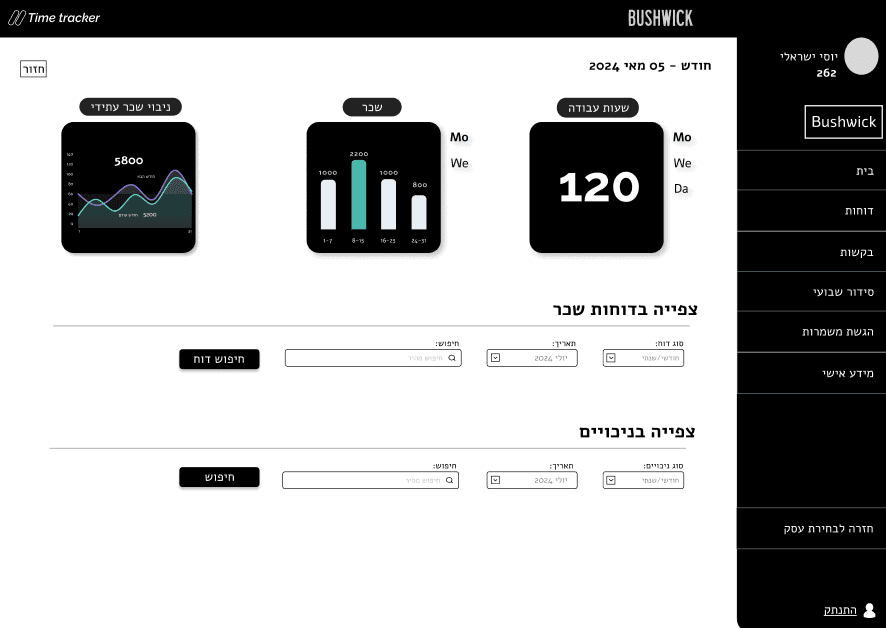
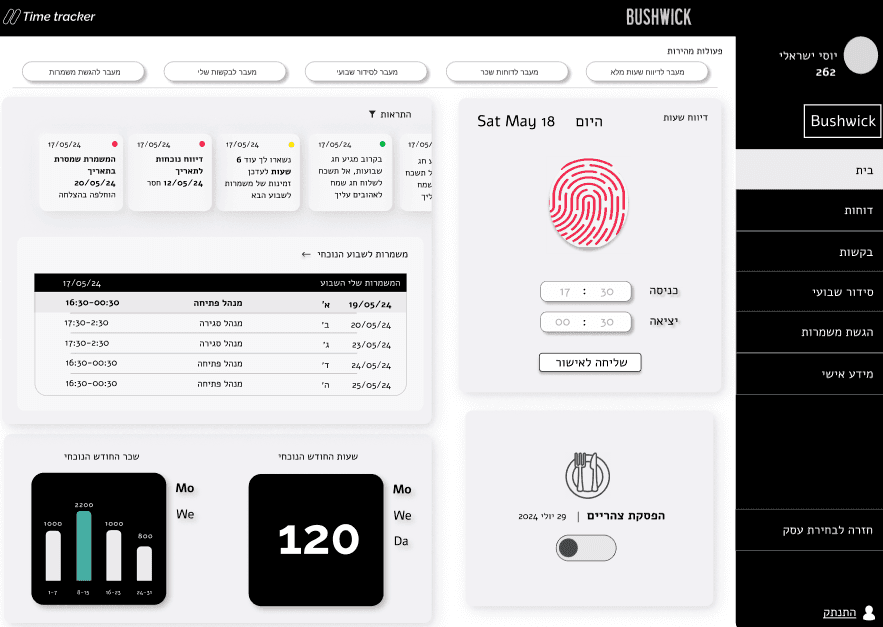
Making Salary & Hours Easy to Understand
Visual summaries reduce cognitive load and make salary insights fast and intuitive.
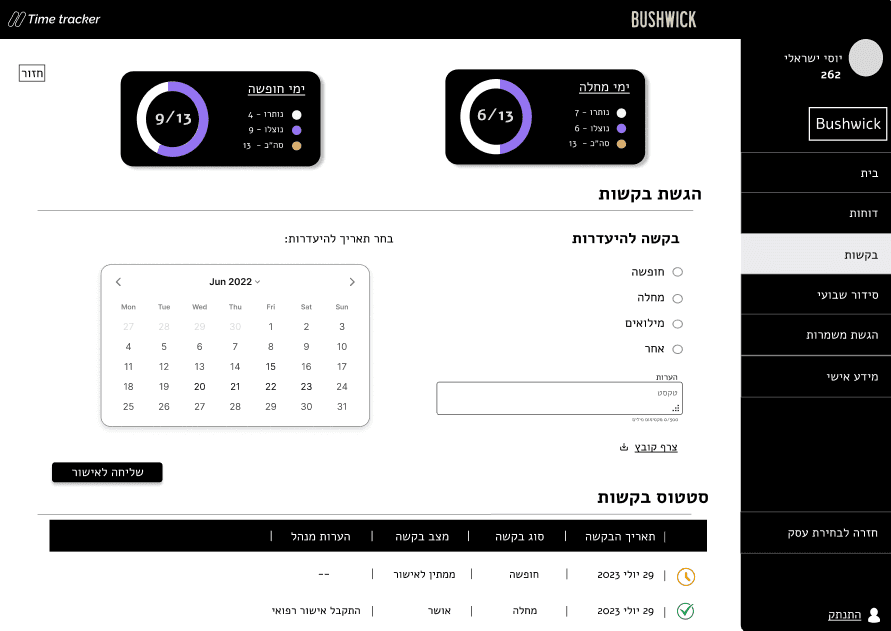
Immediate Feedback in Time Reporting
Unclear save states create anxiety and reduce trust.
Immediate color feedback confirms success or errors and reassures users.
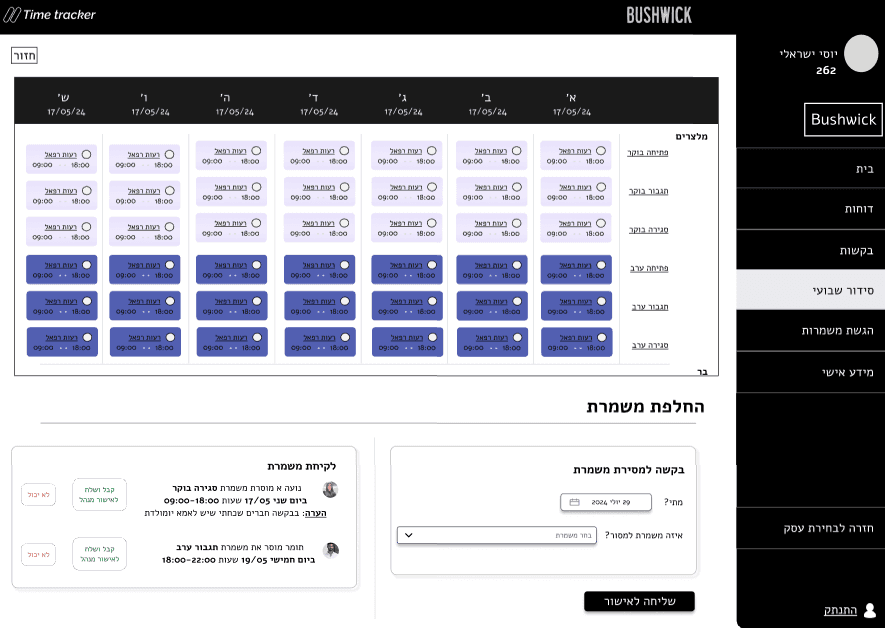
Effortless Shift Swaps
Employees struggle to coordinate shift changes outside the system.
A built in shift swap feature enables direct requests and approval tracking.
Full prototype
More projects
Kaltura
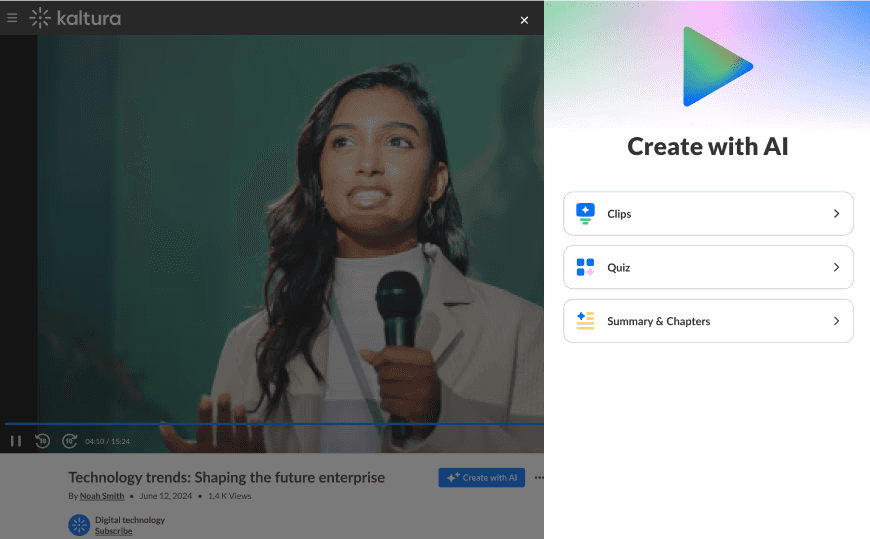
Ai- powered summary & chapters


EMS complex system
Angli
English learning app
Mobile app



Key Findings
Clear Pay Overview - Visual monthly summary of hours and salary reduces confusion.
Shift Swaps - In-app swap flow replaces messy WhatsApp/phone coordination.
Instant Feedback - Real-time status (success/error) builds trust and prevents mistakes.
Interview Questions
Tap to see the full interview
Personal Background & Role
Age, gender, education
Job responsibilities and role description
Key Tasks & Activities
Common actions performed in the system
Typical workflows or routines
User Experience & Feedback
General impressions and usability
Satisfaction, pain points, and improvement suggestions
System Usage Patterns
Familiarity with the platform
Frequency and context of use
Conclusions & Pain Points
O1
O2
O3
O4
Complex and Slow Request Processes
Employees encounter difficulties when submitting vacation, sick leave, or shift-change requests due to unclear pathways, lack of feedback, and slow task completion flow.
Lack of Transparency in Work Hours & Salary
Users struggle to understand accumulated hours and estimated salary, since system data is fragmented, numerical, and lacks visual summarization, leading to confusion and low financial clarity.
Limited Shift Visibility
Employees cannot easily see their upcoming shifts, team-member schedules, or available shift-swap opportunities, reducing coordination and flexibility.
Low Engagement Due to Outdated Workflow
The system feels outdated and unintuitive, leading to low engagement, user errors, and increased reliance on manual communication with managers.
Role Analysis General Employee
Role Purpose - Enable accurate reporting of work hours, absences, and availability in the time-management system.
Role Scope in the Organization - Operational frontline role; actions mainly affect the employee’s own schedule and payroll, but collectively impact staffing quality.
Areas of Responsibility - Logging shifts and breaks, submitting vacation/sick/shift-change requests, checking schedules, and responding to manager updates.
Required Skills - Basic digital literacy, attention to detail, ability to follow procedures and deadlines.
Employee Expectations - Use the system regularly, keep personal data and shifts up to date, and flag issues to the manager when something looks incorrect.
Required Knowledge - Company policies on shifts, overtime, vacation, and sick days, and how these are reflected in the system.
Reporting Lines - Reports to the direct manager or shift supervisor, who approves requests and validates reported hours.
Task Analysis
We mapped and prioritized key tasks in employee management systems according to their importance, frequency, and difficulty. The average scores for each task were then used to define where the system must be most accessible and efficient for employees.
5 = High, 0 = Low
Task
Importance
Frequency
Difficulty
Overall score
Shift Replacement Request
2
2
3
7
Reporting Sick Leave or Vacation
3
1
4
8
Reporting Work Hours
5
5
3
13
Reporting Deductions to Direct Manager
2
2
4
8
Work Task Reporting
5
3
1
9
Clock-in / Clock-out of the System
5
1
3
9
Shift Submission
5
4
1
10
Updating Personal Details
3
1
2
6
Monthly Summary of Work Hours
5
3
3
11
Monthly Summary of Salary
4
2
3
9
Information Architecture
Design Solutions
Making Salary & Hours Easy to Understand
Visual summaries reduce cognitive load and make salary insights fast and intuitive.
Immediate Feedback in time Reporting
Unclear save states create anxiety and reduce trust.
Immediate color feedback confirms success or errors and reassures users.
Effortless Shift Swaps
Employees struggle to coordinate shift changes outside the system.
A built in shift swap feature enables direct requests and approval tracking.
Full prototype
Let's Connect
stavofek565@gmail.com
054-4468426